


For Black Friday 2026, ActivePresenter – screen recorder, video editor and eLearning authoring tool in one – is 40% off until December 2: Pro is $299.40 one time (was $499), Standard $149.40.
We all know that free video editing software often
come along with feature restriction, watermark on the output, lack of advanced
video/audio editing tools and so on. There are large number of free video
editing programs appear on the market these days. It’s not difficult to pick
one of them to cut, or trim a clip, add some texts, and background music, and
export them to a specific format for uploading to YouTube. If these are all you
need, you’re good to go with your smartphone app, or other simple video cutters
out there.
The truth is, people need more than just the basic. They need advanced video editing suite that lets you add video effects, adjust the audio, remove the green screen background, add stylish transitions to the clips, and finally export the clip to different options without watermark. That’s when VSDC free video editor comes in.
What is VSDC Free Video Editor?
VSDC free video editor is a non-linear video editor, developed by Flash Integro LLC, or Vector LLC as stated officially on their website. This video editor is one of few completely free video editors without watermark available on the market nowadays. The program is capable of handling different input/output formats and codecs such as MP4, AVI, MKV and so on. It is packed with full array of video editing features, including video trimming tools, video effects, and transitions and so many thing more such as its Video Wizard, screen capture tool, or slideshow maker and DVD burning tools etc.

VSDC Free Video Editor Review: User Experience
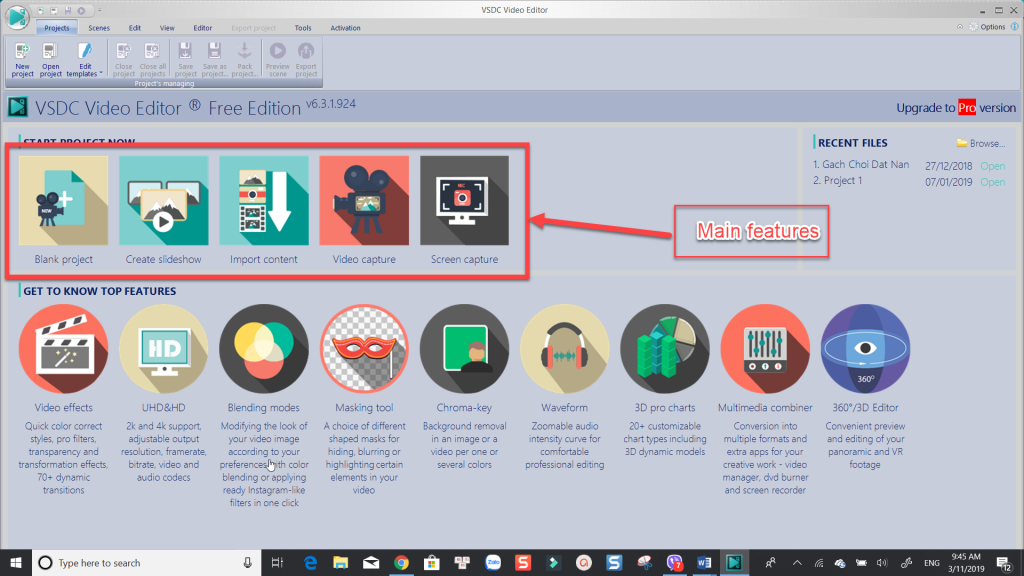
As a software reviewer, I tried dozen of video editing software a month. Frankly speaking, VSDC is not the easiest video editors in its line-up. Though the program has a simple start page with easy-to-navigate main future and a bunch of useful tutorials for beginners.
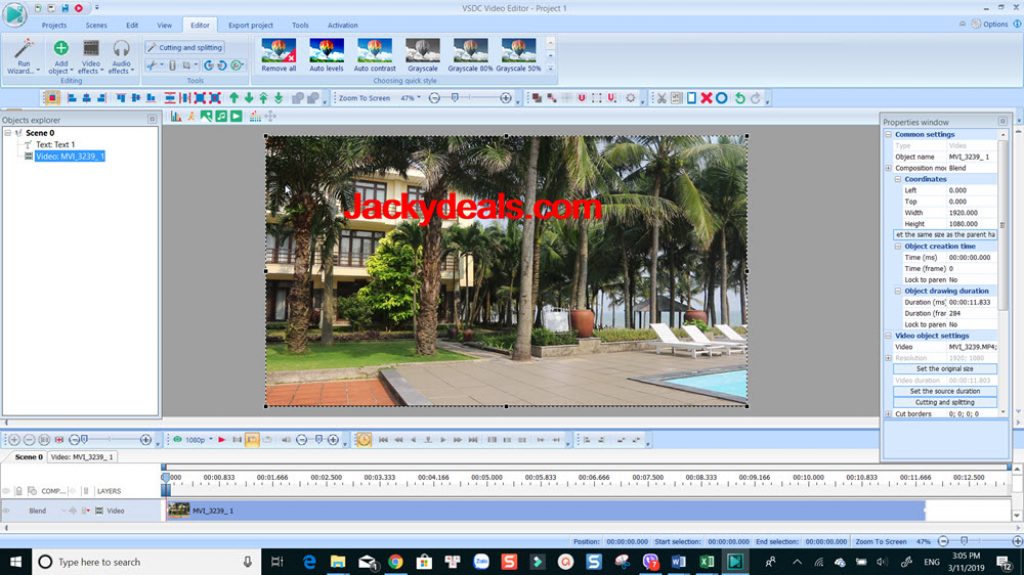
But, let’s be honest! When you start a new blank project, you will soon realize that this video editor is totally different from what you normally see out there. Its work space look strange! Tons of features in the toolbar and hundred of icons appear right after you choose create new project. All these things can make you crazy if you’re familiar with other classic timeline editors. Take a look at VSDC’s main work space in below screenshot.


The good thing is, it lets you customize this work space, re-arrange all the toolbars, or change the skin of this editor to make it more convenience for you. That’s not to mention the learning curve is not as steep as other complex video editing suites i.e Adobe Premiere Pro, or Sony Vegas Pro for example. Once you get familiar with how the program works, I believe that you will definitely enjoy it.
VSDC Free Video Editor Review: Pros and Cons
When it comes to video editing, there are some crucial features about the program you may need to to know, out of its long listing features on the homepage and other review sites.
VSDC Free Video Editor Pros
- First thing first, VSDC free video editor is 100% free to use as advertised. The program will not leave a freaking watermark on any output. VSDC is currently the only free video editor that allows you to export in a new H265/HEVC codec to maintain the highest quality at a minimum file size which is essential for those often processing 4K and HD files.
- Another good thing about VSDC is its lightweight installation package and the ability to work on low end computers. It is one of few free video editors that still support 32bit Windows operating system I’ve seen.
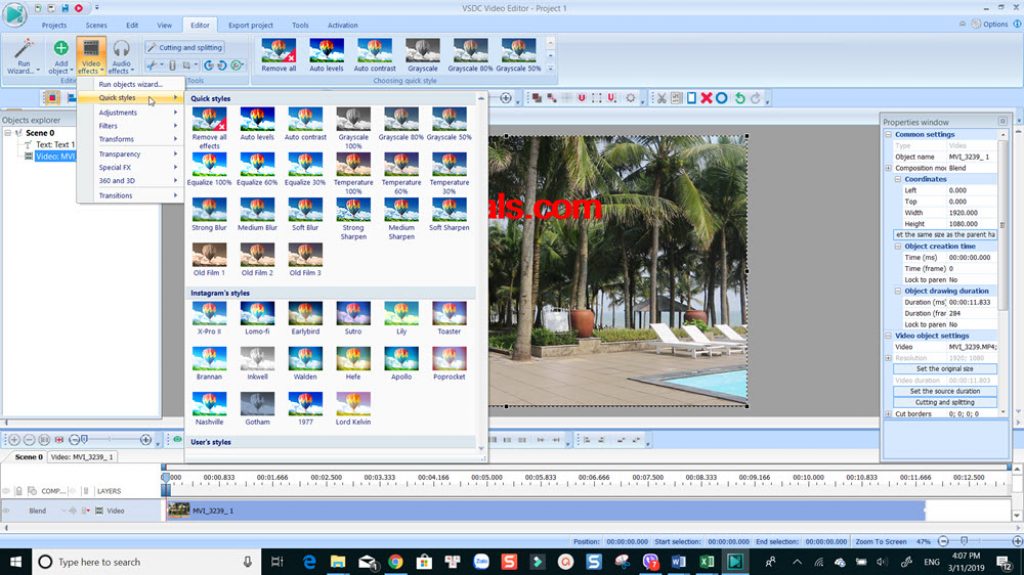
- The program includes lots of video effects and different type of transitions. These effects and transitions can be applied to the clips easily with some drag and drop actions. Added to that, it also give you the option to customize those effects to suite your need. In VSDC, these effects are divided into 5 sections i.e: color correction, object transformation, object filters, transition effects and special fx. The new version of VSDC does allow you to apply LUTs into the clips.
- Animations, Charts, 3D Boxes, Shapes, screen capture feature, and other creation tools make it really useful for creating educational videos.
- Editing videos with VSDC, its Blending mode, Instagram-like filters, Masking tool, as well as video stabilizer, Chroma key are the advanced features that many people will love to use. As these kind of things exist in expensive video editing suite only.
VSDC Free Video Editor Cons
Despite the fact that VSDC is a good free video editing suite, it has few disadvantages you may need to consider, out of the above mentioned good stuff.
- The program doesn’t not have built-in title presets, or animated texts like what you have in other simple video editors. All in all, you’ll have to create animated title on your own.
- Its learning curve is steeper than other easy-to-use video editors on the market such as Filmora or Movavi video editor.
- The technical support service from the developer is simple horrible. As a free user, you can’t get in touch with their team if you have questions to ask. They won’t reply you for sure.
- Last but not least, not all the features can be used for free in this video editor. For instant, you can apply LUTs to the clips and adjust its transparency. But, when you click on Linear parameter change, it will ask you to update to Pro Version. The same story with Chroma key feature.
Well, after getting such notifications, I am a little bit disappointed about the program as they, and many other reviewers boasted that this free video editor doesn’t not have any restriction. However, let’s face the truth that “there is no free meal” in this world. They need to make money to keep this software alive. Luckily, the paid version is something we can accept. Here’s the list of improvement if you buy VSDC’s Pro Version. I am not sure how they work as I have not bought it yet.

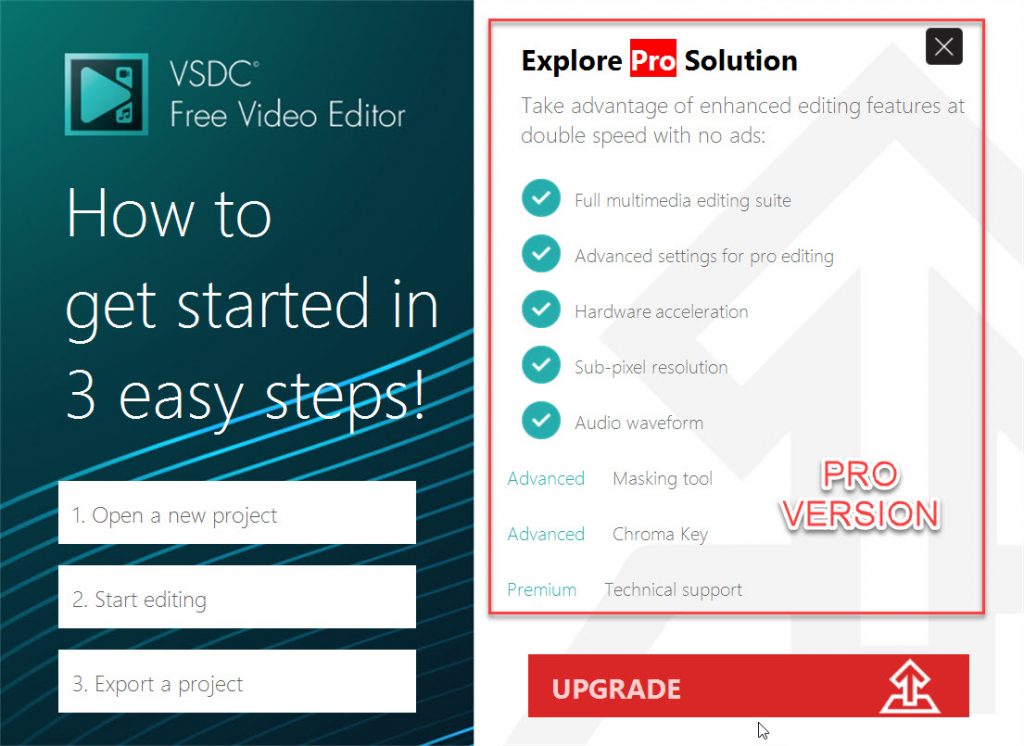
If you already used VSDC Free Video Editor and want to buy its pro version ($19.99 per license), you can use our exclusive 40% off discount coupon code to save your money. You need to pay $11.99 only. Click here to go to the coupon post.
Bottom line
In consideration of the usability, editing features and special effects it offers, I think it’s one of the best free video editors for novices and casual users. So, how would you rate this software compared to what you’re currently using? Share with me in the comment section below!